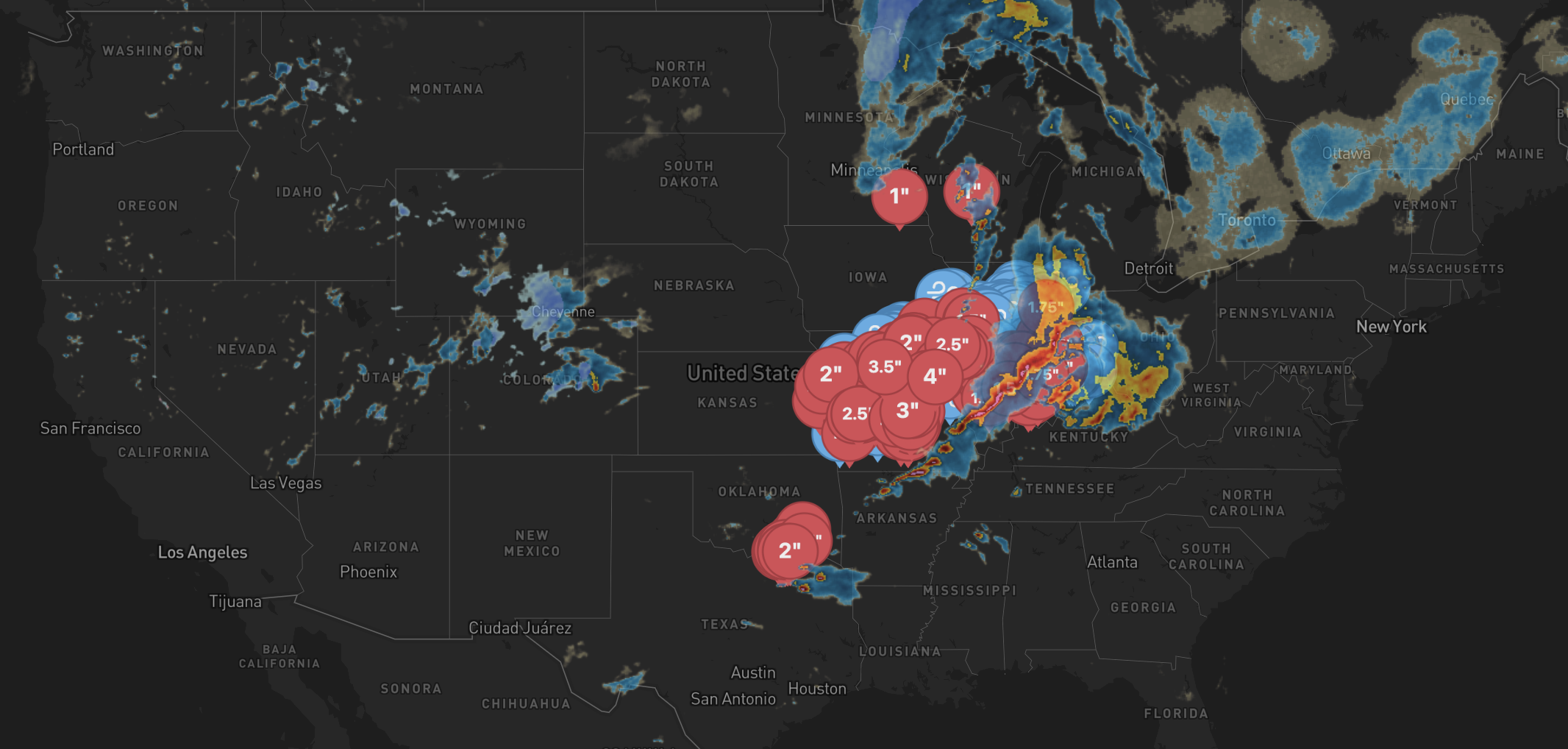
More about our Reports

A StrikeMaps Property Weather Report is a summary of the public weather record for a specific address on a specific day. It pulls together NOAA SPC storm reports, the day’s SPC outlook, archived NEXRAD radar, and Mapbox satellite imagery into a printable PDF. Here’s what’s in one.

What’s in a Property Weather Report

A walkthrough of every section of a real Day Report. Names and address are redacted, but every other element is exactly what gets generated.
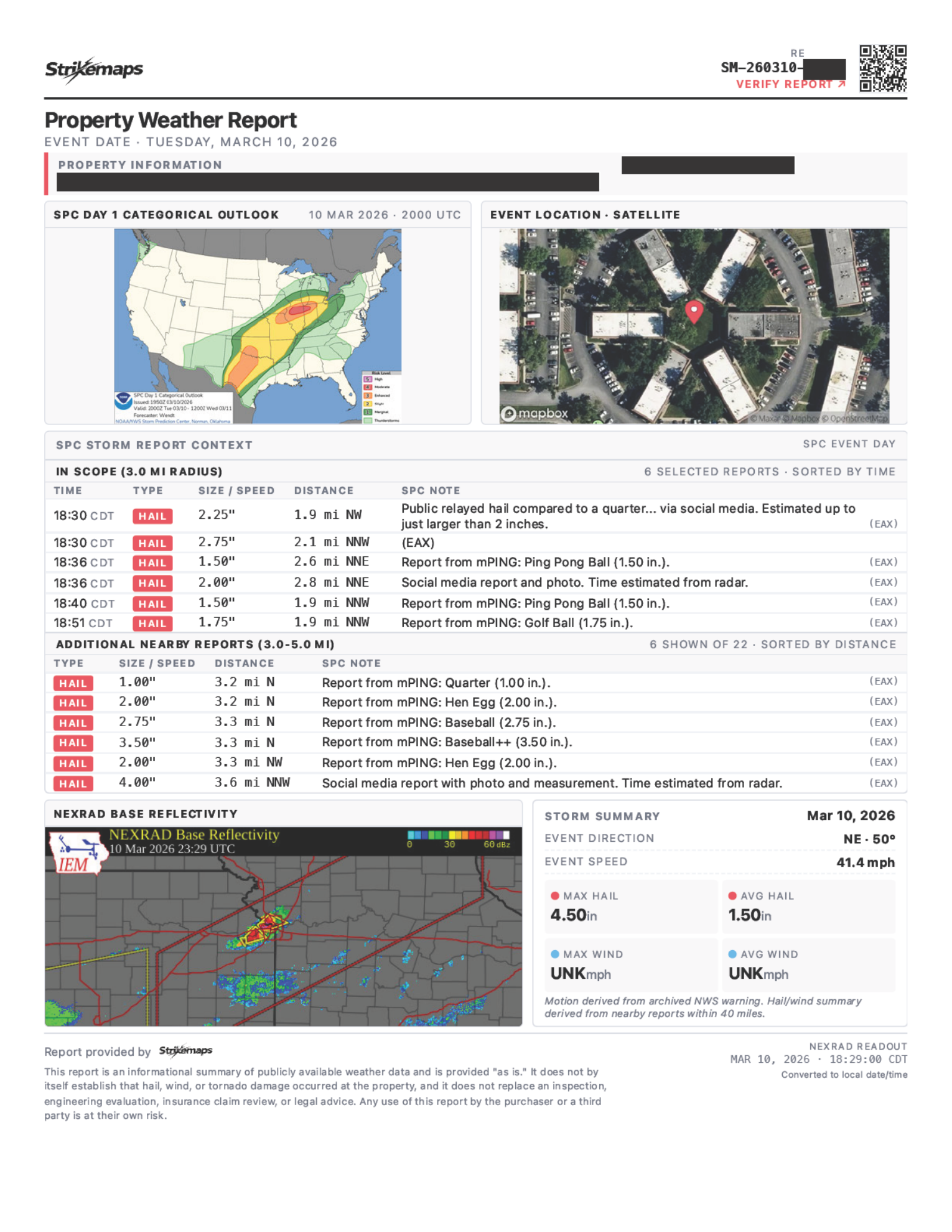
Sample StrikeMaps Day Report (redacted)
Header & property

Header, verify link, and property info

Brand bar with QR/verify link, plus the property address geocoded to the lat/lon every radius below is drawn from.

Storm character

Severe storms move as systems, sometimes spanning dozens of miles. A report on a single address has to look beyond that address to understand the storm’s character — whether it was a discrete supercell, a squall line, or a multicell cluster. We pull reports from three nested radii, and each one answers a different question.

  • 3 mi·Single cell

    Within 3 miles, a single storm cell is most likely to have produced consistent conditions across the area. Tighter and SPC reports thin out; wider and you start mixing in unrelated parts of the storm.

  • 5 mi·Multi-year coverage

    SPC reports are sparse — especially for older events. Five miles is wide enough that an address typically has some history over a multi-year window, but tight enough that the reports still describe weather near it.

  • 10 mi·Storm system

    Severe storms travel as systems that span dozens of miles. Ten miles is wide enough to read the storm's shape and mode — supercell, squall line, multicell — without pulling in activity from an unrelated system.
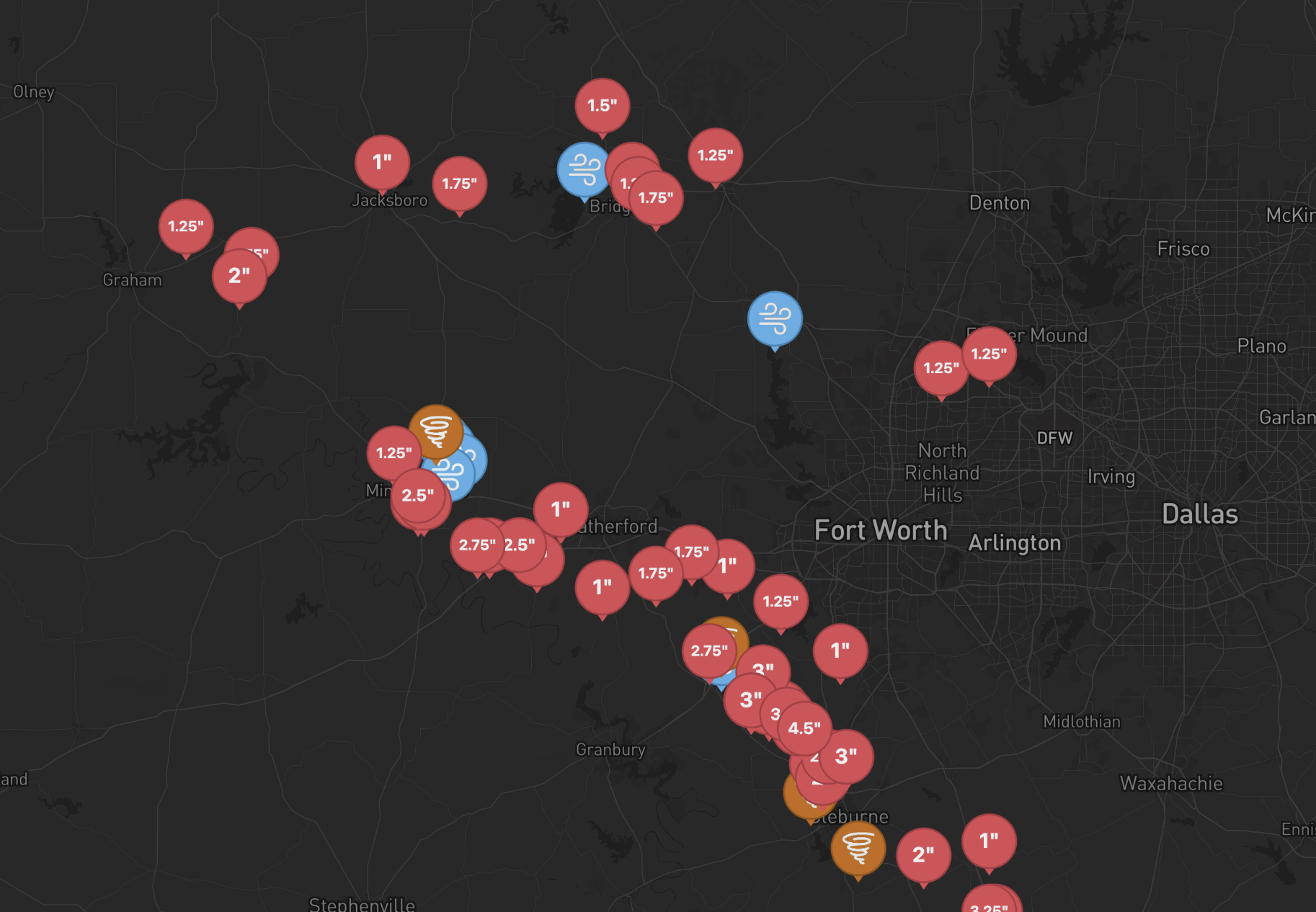

A real storm field across the Dallas–Fort Worth area on a single severe-weather dayStrikeMaps

A real storm field across DFW — each pin is one hail, wind, or tornado report from the same day.

Where the data comes from

Every section of a report is built from publicly-available data published by NOAA, the National Weather Service, and partner archives. We don’t generate weather data — we organize it.

Hail, wind, and tornado reports

NOAA Storm Prediction Center

Every storm report in a Day Report comes directly from the NOAA Storm Prediction Center's daily storm-report archive. SPC reports are preliminary observations and are sometimes revised during quality-control review.

Storm motion

National Weather Service

The storm direction and speed in the Storm Summary are derived from archived NWS warnings issued during the event — the same operational products meteorologists used in real time.

Radar imagery

Iowa Environmental Mesonet — NEXRAD

The radar snapshot in every Day Report is composite reflectivity from IEM's NEXRAD RIDGE archive, mirroring NOAA's national NEXRAD network. The frame is aligned to the storm window for the selected date.

Maps, satellite, geocoding

Mapbox & OpenStreetMap

The satellite frame, base cartography, and address geocoding are from Mapbox. Road, boundary, and place data is contributed by the OpenStreetMap community.

Reports are informational summaries of public data. For the full attribution and source links, see Data Sources.

StrikeMaps Pro

If you generate reports regularly, the Pro plan is the better deal — unlimited generations on one flat monthly price.

Standalone
$14.50
per report
Pro
$50
unlimited / month

Order more than 3 reports a month? Pro is the cheaper path.

FAQ

How much does a report cost?
$14.50 per report — Day Reports and 5-Year Historical Reports are the same flat price. No per-page fees, and white-labeling your company info on the header is included. If you generate reports regularly, StrikeMaps Pro is $50/month for unlimited reports — no monthly caps, no overage charges.
What’s the difference between a Day Report and a 5-Year Historical Report?
A Day Report documents one specific storm date near the property — in-scope SPC reports, storm timing, and supporting radar imagery for that day. A 5-Year Historical Report is an address-level historical evidence index, showing hail, wind, and tornado reports within 10 miles of the property over the past 5 years (no NEXRAD or SPC Outlook imagery). Pick a Day Report when you’re documenting a specific event; pick the 5-Year when you want broader storm history for the property.
Why aren’t certain dates showing in the calendar?
Only days with SPC reports within 3 miles of the address appear in the picker. If a date is missing, no hail, wind, or tornado was officially logged that close to the property on that day.
Why might I see more reports on the map than in a generated report?
The public map and Day Report evidence tables use NOAA SPC’s raw witness feed so the report matches what you saw before checkout. Very dense storm days may still be capped inside the closest-report table so the PDF stays readable.
How far back can I order a Day Report?
You can order any date for which the NOAA SPC archive has qualifying reports within the property’s radius. If a date doesn’t appear in the picker, there’s no in-scope SPC data for that day.
What radius does the report cover?
Day Reports highlight SPC reports within 3 miles of the property for the in-scope event list, with broader same-day context out to 5 miles. 5-Year Historical Reports cover a 10-mile radius for the historical table.
Where does the storm data come from?
NOAA Storm Prediction Center (SPC) for hail, wind, and tornado reports, and the IEM NEXRAD archive for radar imagery. Full attribution lives on our Data Sources page.
How fresh is the data?
Live SPC data is pulled directly from NOAA and refreshes every 5–10 minutes for today’s date. Archived dates are stable once SPC publishes the final CSV.
Can I customize the header with my company info?
Yes. White-label company name, address, phone, and email are included at the top of every report. No extra cost.
How long does a report take to generate?
Typically under 30 seconds. The completed PDF is emailed to you as an attachment, and you can also download it directly from the confirmation page as soon as it’s ready.
What can I use the report for?
Our reports are informational summaries of publicly available NOAA storm data — they’re designed to help you understand what storm activity occurred near a property. They are not legal advice, insurance adjustments, or proof that damage occurred at the property. How you use the report — for your own records, customer conversations, claim support, or anywhere else — is your decision. We work to surface NOAA data faithfully, but can’t guarantee the underlying reports are complete or error-free, and we aren’t liable for decisions made based on a report. See our Terms for the full details.